Create consistently. Keep every decision yours.
Plan recurring content, generate the right assets and finish every format without turning your process into a chain of disconnected tools.
- One repeatable production system
- Faster iteration without giving up the edit
- Clear cost before each AI operation
Build a sci-fi story from a character and a world
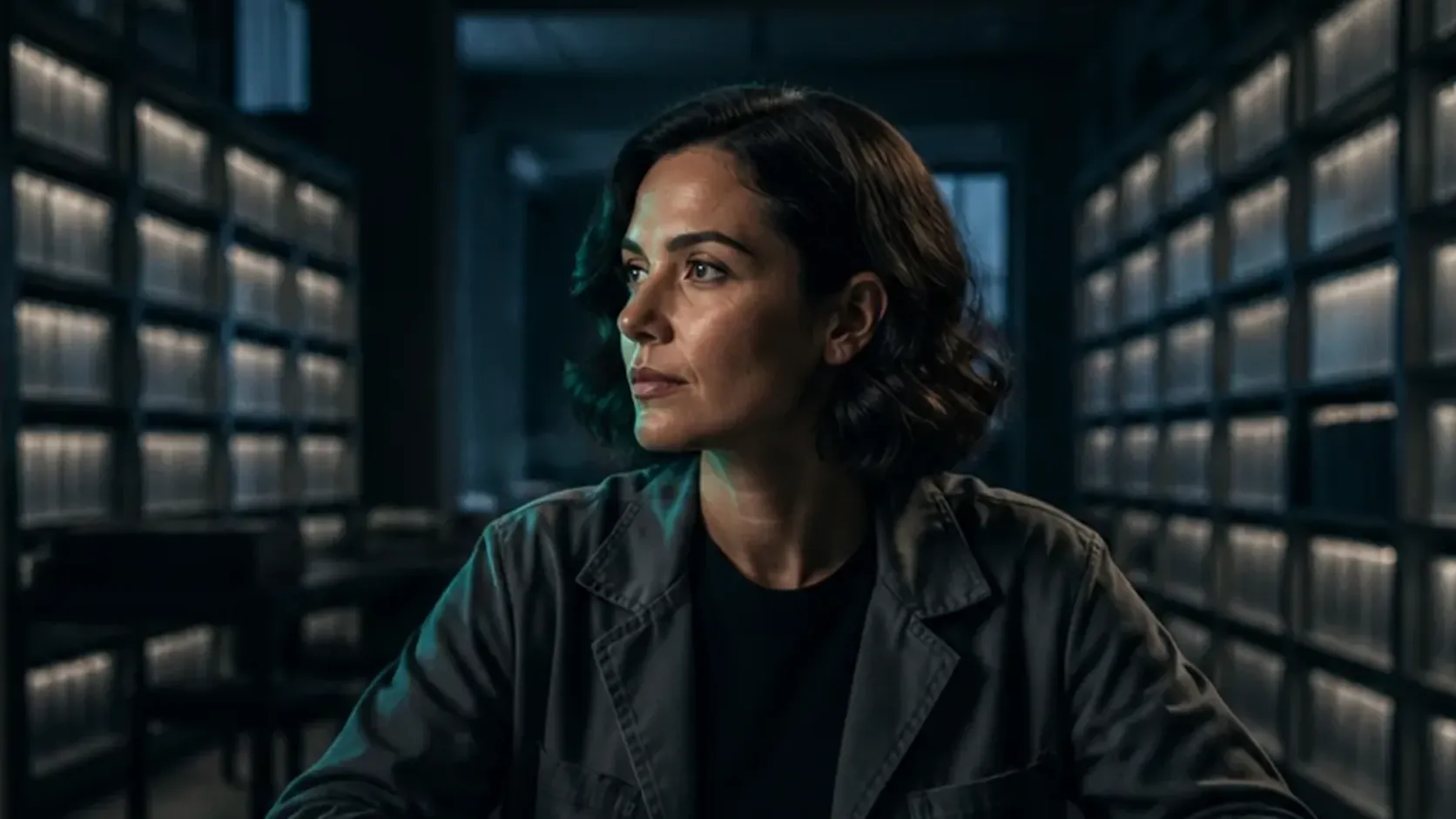
The Memory Architect follows a filmmaker into an archive of memories. Use this demonstration project to see how a character reference, an environment and six shots become a 43-second sci-fi film. The actual project screens show the references and editable timeline behind the finished story.
- Composition
- 1920 × 1080 · 16:9
- Timeline length
- 43 seconds
- Structure
- 6 visual shots
-
Establish the character before planning the shots
Start with a recognizable character and a setting that support the story. This project keeps a filmmaker portrait and an archive environment alongside its scene references. The character portrait uses FLUX.2 Flex, with direction for wardrobe, lighting and expression.
-
Carry the same world into each scene
One scene image uses Seedream 5.0 Lite with both the Character and Environment references. Its instructions ask to preserve identity and architecture. Review those details before generating motion, then give each shot a clear camera direction and a role in the story.
-
Shape the story across six shots
Arrange the six visual clips on the timeline and review how one scene leads to the next. Dialogue and ambient sound occupy separate layers, letting you adjust the timing of a line or the atmosphere around a reveal while keeping the picture sequence editable.
-
Finish the atmosphere and the closing beat
Text, visual effects and a logo sequence complete the 43-second composition. Play the whole cut to check character continuity, transitions, dialogue and the ending. Keep the references and useful alternatives in the project as you refine the sequence.
What should I prepare before generating a story?
Write the premise, the character details that must remain recognizable and the purpose of each shot. Choose references for the character and setting. This gives you a concrete checklist for reviewing the still images and the motion that follows.
How do I keep a fictional world consistent?
Reuse the approved references and describe what must stay the same across shots. In this example, character identity and archive architecture anchor the scene instructions. Check the generated result against those references before adding it to the cut.
How do I plan the cost of another scene?
Choose the model, references, duration and resolution for that scene, then review its estimate before running it. Allow room for discarded takes and compare final charges afterward. Budget AI usage and project resources separately from the time you spend editing.
Establish the character and world, give each shot a purpose, then use dialogue, atmosphere and editing to complete the story.
Create your own sci-fi film